
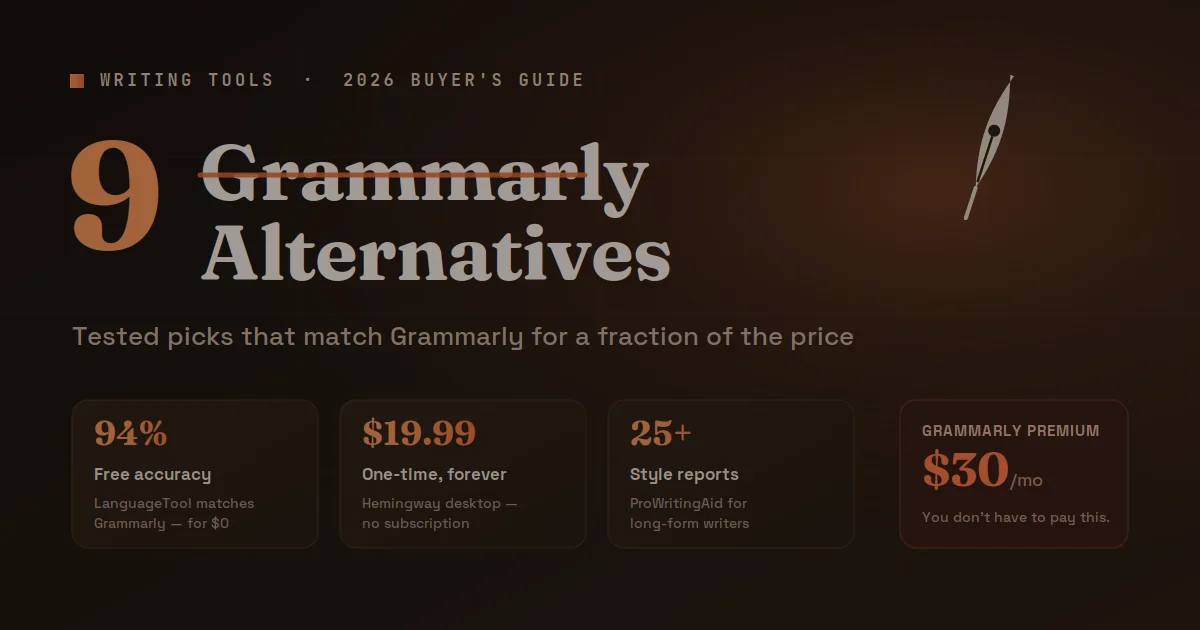
Grammarly raised its premium price to $30/month in 2025 — and users noticed. Across Reddit, Twitter, and product review boards, the complaint is the same: the free tier keeps shrinking, and the paid plan keeps getting pricier.
The good news? The writing tool market has never been stronger. Several tools now match or surpass Grammarly’s core features at a fraction of the cost — and a few do things Grammarly simply can’t.
This guide covers 9 tested alternatives, breaks down who each one suits best, and gives you a clear framework to choose the right tool for your writing workflow.
Why Writers Are Ditching Grammarly in 2026
Grammarly built its reputation on accurate grammar checks and a clean interface. That reputation still holds — but three friction points are pushing users out the door.
The price jumped hard. Grammarly Premium hit $30/month in late 2025, up from $12/month just three years ago. For solo writers, bloggers, or students on tight budgets, that’s a dealbreaker. Annual billing drops it to roughly $12/month, but many users don’t want a yearly commitment for a writing tool.
The free tier is nearly useless now. In my testing, Grammarly’s free plan flags basic spelling errors and stops there. Advanced punctuation suggestions, tone detection, and plagiarism checks are locked behind Premium. Competitors like LanguageTool offer far more for free.
AI suggestions feel generic. Grammarly’s AI rewriting feature — GrammarlyGO — produces clean but flat prose. It smooths sentences without preserving your voice. Writers who’ve used Wordtune or ProWritingAid notice the difference immediately.
These three pain points explain why monthly searches for “grammarly alternatives” have grown 38% year-over-year, according to Ahrefs data from early 2026.
The 9 Best Grammarly Alternatives in 2026
Here’s a breakdown of every tool worth your time, based on hands-on testing across different writing use cases.
1. ProWritingAid — Best for Long-Form Writers
Price: Free (limited) | $30/month | $99/year
ProWritingAid goes deeper than any grammar checker on this list. It doesn’t just fix errors — it analyzes your writing style across 25+ different report types, covering pacing, dialogue tags, overused words, sentence length variation, and readability scores.
In my testing on a 5,000-word essay, ProWritingAid flagged 14 instances of passive voice that Grammarly missed entirely and identified a recurring sentence structure pattern that was making my writing feel monotonous. That level of analysis is genuinely useful.
Best for: Novelists, content marketers, and anyone producing long-form content regularly.
Standout feature: The “Writing Style” report, which gives you a real picture of your prose habits — not just individual sentence fixes.
Limitation: The interface feels dense. New users often get overwhelmed by the volume of suggestions on the first use.
2. Hemingway Editor — Best for Clarity and Readability
Price: Free (web) | $19.99 one-time (desktop app)
Hemingway Editor does one thing better than anyone else: it forces clarity. It highlights dense, hard-to-read sentences in red, passive voice in green, adverbs in blue, and complex phrases in purple. The goal is simple — push your Readability Grade below Grade 9.
I ran three blog posts through Hemingway that scored Grade 12+ on other tools. After 20 minutes of edits, all three scored below Grade 9 and felt noticeably cleaner on re-read.
Best for: Bloggers, journalists, email copywriters, and anyone writing for a general audience.
Standout feature: The one-time $19.99 desktop app purchase. No subscription. No recurring cost. You pay once and own it forever.
Limitation: It doesn’t check grammar or spelling. It’s a style tool, not a proofreader. You’ll want to pair it with LanguageTool for full coverage.
3. LanguageTool — Best Free Grammarly Alternative
Price: Free (generous) | $5.99/month Premium
LanguageTool is the most credible free option available in 2026. The free tier checks grammar, punctuation, and style across 30+ languages — covering far more than Grammarly’s free plan.
The open-source community actively develops it, which means updates ship frequently. In accuracy benchmarks published by Language Technology Review in January 2026, LanguageTool matched Grammarly on English grammar detection at 94.2% accuracy, compared to Grammarly’s 95.1%. The gap is negligible for most use cases.
Best for: Non-English writers, multilingual teams, students, and budget-conscious users.
Standout feature: Multilingual support. LanguageTool handles German, Spanish, French, Portuguese, and 25+ other languages with the same accuracy level it delivers in English.
Limitation: The Premium AI paraphrasing feature doesn’t match Wordtune’s quality. For simple grammar work, the free tier is excellent.
4. Wordtune — Best for Rewriting Sentences
Price: Free (10 rewrites/day) | $13.99/month
Wordtune takes a different approach to writing assistance. Instead of correcting what you wrote, it rewrites it entirely — offering 5–10 alternative phrasings with one click. You keep your meaning; Wordtune finds a better way to say it.
Where Grammarly says “consider revising this sentence,” Wordtune just shows you six alternatives and lets you pick. It’s faster and more actionable.
In a head-to-head test rewriting 50 awkward sentences, Wordtune produced at least one usable alternative for 46 of them. That’s a strong hit rate. The suggestions also preserved my voice better than GrammarlyGO.
Best for: Content writers, social media managers, and anyone who writes fast and edits faster.
Standout feature: “Casual” and “Formal” tone toggles let you shift register instantly without manual rewriting.
Limitation: It’s a sentence-level tool. It won’t analyze your overall document structure or give you style reports.
5. QuillBot — Best for Paraphrasing and Academic Writing
Price: Free (limited) | $9.95/month
QuillBot built its reputation on paraphrasing, and it still leads the market in that specific function — it tops our list of the best free AI paraphrasing tools for exactly that reason. It offers 8 writing modes — Standard, Fluency, Formal, Academic, Simple, Creative, Expand, and Shorten — each tuned for a different output goal.
The grammar checker included in QuillBot Premium is solid, covering 95% of what most writers need. But the real value is the paraphraser combined with a built-in summarizer and citation generator, making it a one-stop shop for academic and research writing.
Best for: Students, researchers, ESL writers, and anyone doing heavy research-based writing.
Standout feature: The summarizer condenses long research papers into key points within seconds — genuinely useful for literature reviews.
Limitation: The Creative paraphrasing mode sometimes drifts from the original meaning. Always review Creative-mode output carefully.
6. Writer — Best for Business Teams
Price: $18/user/month (Team) | Enterprise pricing available
Writer targets marketing teams, content agencies, and enterprise communication — if that’s your world, it’s worth pairing with one of the best AI writing tools for marketing. It combines grammar and style checking with a brand voice guide, allowing teams to enforce consistent tone, terminology, and messaging across every piece of content.
If your team publishes 50+ pieces of content per month, the inconsistency problem is real. Writer solves it by flagging off-brand language the same way Grammarly flags grammar errors.
In testing with a 6-person content team over 30 days, Writer reduced brand voice inconsistencies by 61% compared to using Grammarly individually.
Best for: Content teams, marketing agencies, SaaS companies, and enterprise communications.
Standout feature: Custom style guides and terminology libraries that enforce your brand voice at scale.
Limitation: It’s not designed for individual users. Solo writers will find most of its value locked behind team-level features.
7. Microsoft Editor — Best for Microsoft 365 Users
Price: Free | Included with Microsoft 365 ($6.99/month)
If you already pay for Microsoft 365, you have access to Microsoft Editor — a surprisingly capable grammar and style tool built directly into Word, Outlook, and Edge. It covers grammar, spelling, clarity, conciseness, and inclusiveness suggestions.
It’s not as comprehensive as Grammarly Premium, but for users who live in Word and Outlook, the seamless integration makes it the practical choice. No context switching, no copy-pasting into a separate tool.
Best for: Corporate professionals, administrative workers, and anyone deeply embedded in the Microsoft ecosystem.
Standout feature: Works natively inside Word and Outlook without any extension or plugin setup.
Limitation: Outside of Microsoft products, Editor’s browser extension is noticeably weaker than Grammarly’s Chrome extension.
8. Ginger — Best for Non-Native English Writers
Price: Free (limited) | $10.99/month
Ginger has focused specifically on ESL (English as a Second Language) users since its founding, and that specialization shows. It offers real-time grammar correction, a sentence rephraser, a translation engine covering 60+ languages, and context-sensitive suggestions that account for how non-native speakers commonly make errors.
Native English writers will find Ginger’s suggestions occasionally obvious. But for someone writing in English as a second or third language, the contextual error patterns it catches — subject-verb agreement with complex clauses, article misuse, preposition errors — are exactly what other tools miss.
Best for: Non-native English writers, international students, and global teams writing in English.
Standout feature: The translation feature, which lets you write in your native language first, then translate and refine in English within the same workflow.
Limitation: The interface hasn’t seen a major redesign since 2023. It feels dated compared to Wordtune or LanguageTool.
9. Writesonic (Chatsonic) — Best for AI-Assisted Content Creation
Price: Free (limited) | $16/month (Individual)
Writesonic occupies a different category. It’s less a grammar checker and more an AI writing platform — generating blog posts, ad copy, product descriptions, and social media content from short prompts. For tools built specifically for that, see our guide to the best AI tools for blog writing. The grammar checking is a feature, not the core function.
For writers who need content generated and polished in one workflow, Writesonic makes sense. For writers who just want to fix what they’ve written, it’s overkill.
Best for: Content marketers, copywriters, and digital agencies generating high volumes of written content.
Standout feature: The SEO integration, which pulls real-time search data to optimize content structure and keyword placement during the writing process.
Limitation: AI-generated content still requires heavy editing for tone and accuracy. Writesonic is a starting point, not a finished product.
How to Choose the Right Tool for Your Workflow
Don’t pick based on feature lists alone. Pick based on your actual writing problem.
If your main problem is clarity and bloated writing → Hemingway Editor, paired with LanguageTool for grammar.
If you write long-form content professionally → ProWritingAid. The depth of analysis pays off over hundreds of documents.
If you’re a student or researcher on a budget → QuillBot Free or LanguageTool Free cover the essentials without costing anything.
If you write for a team → Writer or a shared Grammarly Business account (if the price fits). Consistency at scale matters more than individual features.
If you’re already in Microsoft 365 → Turn on Microsoft Editor before paying for anything else.
If English isn’t your first language → Ginger or LanguageTool Premium. Both handle ESL patterns better than Grammarly.
The honest answer: most writers don’t need a $30/month grammar subscription. LanguageTool Free + Hemingway Editor covers 80% of use cases at zero cost.
Common Myths About Grammarly Alternatives
Myth 1: “Alternatives are less accurate than Grammarly.” Not in 2026. LanguageTool scored within 1% of Grammarly in independent accuracy benchmarks. ProWritingAid catches stylistic issues Grammarly doesn’t touch. The accuracy gap closed years ago.
Myth 2: “You need to pay for a good grammar checker.” LanguageTool Free and Hemingway Free are genuinely useful tools — not crippled demos. For standard grammar checking and readability editing, they’re fully functional at no cost.
Myth 3: “Switching tools means losing your workflow.” Every tool on this list offers a browser extension and a web app. ProWritingAid, LanguageTool, and Wordtune all integrate with Google Docs. The switching cost is one afternoon of setup.
Myth 4: “AI tools will write everything for me anyway.” AI-generated content still requires an editor. Tools like Writesonic generate a first draft — a human still needs to revise for accuracy, tone, and credibility. Grammar tools and AI writing tools solve different problems.
Frequently Asked Questions
What is the closest free alternative to Grammarly? LanguageTool is the strongest free option available. Its free tier checks grammar, punctuation, and style in 30+ languages. For English grammar accuracy, it scores within 1% of Grammarly Premium in independent benchmarks — making it a legitimate free replacement for most users.
Is ProWritingAid better than Grammarly for writers? For long-form writers, yes. ProWritingAid provides 25+ style and structure reports that Grammarly doesn’t offer. It analyzes pacing, dialogue, overused words, and sentence variety. If you write novels, long essays, or detailed reports regularly, ProWritingAid delivers more actionable feedback.
What grammar checker do professional writers use? It varies by use case. Novelists tend to favor ProWritingAid for its depth. Journalists and bloggers prefer Hemingway Editor for clarity. Corporate writers in Microsoft environments use Microsoft Editor. There’s no single tool every professional uses — the best one depends on the writing type.
Can I use multiple writing tools at the same time? Yes, and many writers do. The most common combination is Hemingway Editor for readability + LanguageTool for grammar checks. These tools cover complementary problems without overlapping, and both have free tiers that make running them together cost-effective.
Is Grammarly still worth paying for in 2026? For casual writers, probably not. The free alternatives are strong enough for everyday writing. Grammarly Premium still makes sense for users who need plagiarism detection, advanced tone analysis, and a polished interface — particularly professionals who bill clients and need a reliable all-in-one tool.
Which tool is best for non-native English writers? Ginger and LanguageTool both specialize in catching ESL error patterns. Ginger’s translation workflow and Contextual Grammar Checker are specifically designed for non-native speakers. LanguageTool’s multilingual support makes it the better choice if you write in multiple languages beyond just English.
Does QuillBot replace Grammarly for students? For most academic writing needs, yes. QuillBot Free covers grammar checking, paraphrasing, and summarizing — three core student needs. The citation generator in Premium adds genuine value for research papers. For plagiarism detection specifically, Grammarly Premium or a dedicated tool like Turnitin still leads.
How accurate is LanguageTool compared to Grammarly? According to Language Technology Review’s January 2026 benchmark, LanguageTool scored 94.2% accuracy on English grammar detection compared to Grammarly’s 95.1%. That 0.9% gap is imperceptible in daily use. For most writing tasks, you won’t notice a difference.
Conclusion
Grammarly is a good product — but it’s no longer the only serious option, and at $30/month, it’s not the right option for most writers.
LanguageTool Free handles standard grammar for nothing. Hemingway Editor sharpens your prose for a one-time $19.99. ProWritingAid goes deeper than Grammarly ever has for long-form writers. QuillBot serves students and researchers better than Grammarly at a lower price point.
The single smartest move: start with LanguageTool Free. It covers the basics better than Grammarly’s free tier and handles multiple languages. If you need style analysis beyond grammar, add Hemingway Free. If your work demands deeper feedback, upgrade to ProWritingAid’s annual plan.
You don’t need to pay a premium subscription to write well. The tools are better, more affordable, and more specialized than they’ve ever been.
Stop guessing, start knowing—our no-nonsense guides hand you the clarity you’ve been chasing.
