

What Notion, ClickUp, and Trello Actually Are
Before comparing features, you need to understand each tool’s core identity. Marketing pages blur these lines intentionally. Here’s the honest version.
Notion started as a documentation and note-taking tool, then evolved into a flexible workspace where you build your own system. Pages, databases, linked views, wikis — you assemble what you need. Teams use it to replace Confluence, Airtable, Google Docs, and sometimes their CRM, all at once. The power is real, but so is the setup time.
ClickUp launched in 2017 with an explicit mission: replace every other productivity tool. The result is the most feature-dense platform in this comparison — 15+ task views, sprint planning, time tracking, goals, dashboards, and Gantt charts all under one roof. It’s purpose-built for project management, and it shows.
Trello is the oldest of the three (launched 2011, acquired by Atlassian in 2017). It runs on a simple Kanban model — boards, lists, and cards. It’s the fastest tool to start with and the first one teams outgrow when work gets complex.
In plain terms:
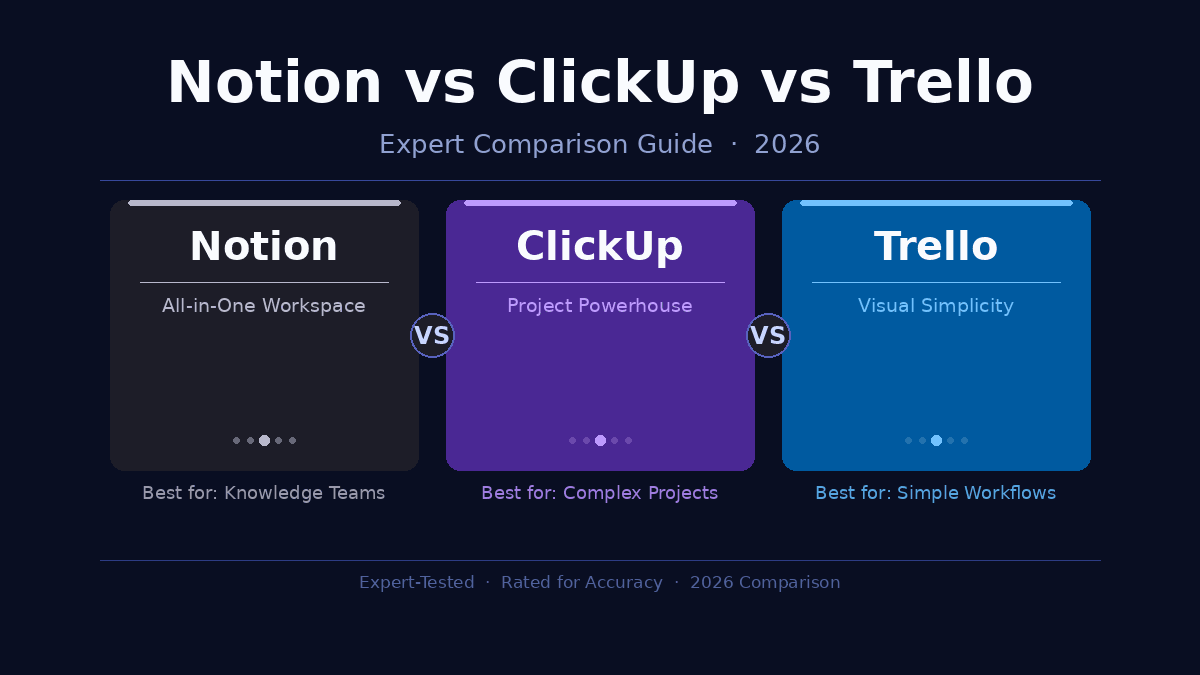
- Notion = Build your own system
- ClickUp = Power-manage every project
- Trello = See your work at a glance
That framing alone should tell you a lot. If you already know which category describes your need, you have your answer. If not, keep reading.
Feature-by-Feature Breakdown
Task and Project Management
ClickUp wins this category outright. You get custom task statuses, nested subtasks up to five levels deep, dependencies, recurring tasks, sprint points, and milestone tracking. In my testing, I built a complete product roadmap with sprint cycles, release dates, and assignees in about 20 minutes. Replicating the same structure in Notion took 90 minutes of database configuration — and it still lacked native dependency tracking.
Notion handles tasks through its database feature. You can create a fully functional project tracker, but there’s no ready-made task layer — everything is a blank canvas that requires setup. For teams that already have a template library or the time to build one, this is fine. For teams that need to start managing projects on Day 1, it’s a tax on time.
Trello is the fastest to start. Create a board, add lists, drag cards. No decisions, no configuration. The ceiling arrives quickly, though — nested subtasks, dependencies, and resource views simply don’t exist in Trello’s base model. Power-Ups extend functionality, but at added cost and complexity.
Winner: ClickUp for complex projects. Trello for simple ones.
Collaboration and Documentation
Notion is the strongest documentation platform of the three. Real-time collaborative editing works like Google Docs — multiple cursors, instant sync, inline comments. For teams that communicate through written processes and wikis, nothing here comes close. I’ve seen agencies replace their entire Confluence + Google Docs stack with Notion alone.
ClickUp’s collaboration is comprehensive but scattered. Threaded comments, assigned comments, a built-in chat, video clips, proof annotations, and collaborative Docs (their Google Docs competitor) are all available. The problem: these features live across many different menus. In my experience with ClickUp teams, collaboration habits become inconsistent because people can’t find the same features in the same place.
Trello keeps collaboration visual and minimal. Comments on cards are clean. Tagging teammates with @mentions works well for simple handoffs. There’s no document editing layer — for documentation, Trello users typically link out to Google Docs or Confluence.
Winner: Notion for documentation-heavy teams. ClickUp for structured team workflows.
Automations
ClickUp’s automation engine is powerful and available on its free plan. Triggers, conditions, and actions cover status changes, assignee updates, priority shifts, webhook calls, and cross-list operations. I set up 12 automations for a content team’s editorial pipeline in under an hour — auto-assign editors when a draft is submitted, notify stakeholders when status changes to “Published,” archive tasks 30 days after completion.
Notion Automations, introduced in 2023, have matured significantly. By 2026 you can trigger actions when database properties change, sync data between databases, fire Slack or email notifications, and connect to third-party tools. For a documentation-focused workspace, this is more than enough. For complex project workflows, ClickUp still has the edge.
Trello’s Butler automation tool is capable for simple triggers — auto-move cards based on due dates, send emails on card updates, generate checklists. Advanced users can do meaningful work with it, but compared to ClickUp’s engine, it’s a fundamentally limited system.
Winner: ClickUp for complex automations. Notion for database-driven workflows.
AI Features in 2026
All three tools have invested heavily in AI over the last two years. The quality gap is real.
Notion AI is the most embedded and contextually useful. It lives inside your workspace — summarize a database of meeting notes, auto-fill properties, write first drafts directly inside a page, and answer questions about your own data. The “Ask Notion AI” feature that queries across your entire workspace is genuinely powerful for knowledge workers. I found it useful at least 5–6 times per day during a two-week deep-test.
ClickUp Brain integrates AI across tasks, docs, and project data. Ask it the status of a project, auto-generate task descriptions from a brief, or summarize lengthy comment threads. For project-heavy teams, ClickUp Brain’s ability to pull insights from task data is its differentiator. It answers questions like “Which tasks are overdue in Project X?” with surprising accuracy.
Trello’s AI, delivered through Atlassian Intelligence, lags behind both. Card descriptions, meeting summaries, and basic suggestions are available. It works, but AI is clearly not central to Trello’s product direction.
Winner: Notion AI for knowledge work. ClickUp Brain for project tracking.
Mobile Experience
Trello’s mobile app is the most polished of the three. The card-based layout translates naturally to a phone screen. Swiping between boards, moving cards, and checking off items works without friction.
ClickUp’s mobile app has improved significantly, but it still carries the weight of the desktop product’s complexity. Navigating between Spaces, Folders, and Lists on a small screen requires orientation. Power users adapt; casual users struggle.
Notion’s mobile app is functional but constrained. Database management and complex page editing on mobile is a pain point that Notion has acknowledged but not fully solved. For reading and simple edits, it works fine.
Winner: Trello on mobile.
Pricing Comparison: What You Actually Pay
| Plan | Notion | ClickUp | Trello |
|---|---|---|---|
| Free | Individual use, limited blocks | Unlimited tasks & members | 10 boards per workspace |
| Entry Paid | ~$10/user/mo (Plus) | ~$7/user/mo (Unlimited) | ~$5/user/mo (Standard) |
| Mid Tier | ~$15/user/mo (Business) | ~$12/user/mo (Business) | ~$10/user/mo (Premium) |
| AI Included | Business+ plan | Business plan | Premium plan |
Verify current pricing at each tool’s official pricing page — rates change frequently and may differ with annual billing.
Notion’s free plan works well for individual knowledge management. The paid plans become compelling when you need advanced automations, unlimited AI usage, and admin controls for a team.
ClickUp’s free plan is the most generous in this category. Unlimited tasks and unlimited members, no board restrictions. The Unlimited plan at ~$7/user/month removes storage caps and feature limitations — for most small to mid-size teams, this tier covers everything they need.
Trello’s free plan caps you at 10 boards per workspace. That sounds like enough until you’re running eight active projects and onboarding a new client. The Standard plan at ~$5/user/month adds unlimited boards and more automation runs, making it a reasonable entry point for growing teams.
For a 5-person team choosing between ClickUp (Unlimited) and Notion (Plus), the annual cost difference is roughly $180. Meaningful, but not the deciding factor for most businesses.
Which Tool Actually Fits Your Situation
Stop evaluating features and start matching tools to workflows.
Choose Notion if:
- Your team works primarily in documents, SOPs, and wikis
- You want a unified workspace that replaces multiple tools
- You’re comfortable with setup time and building systems
- You’re a solo operator, freelancer, or team under 10 people
- You need strong AI that understands your own content
Real example: A six-person content agency I consulted ran their client wikis, content calendars, brand guidelines, and meeting notes out of one Notion workspace. It replaced Confluence, Airtable, and Google Drive folders — saving them roughly $290/month in software. The setup took two weeks. The payoff lasted two years.
Choose ClickUp if:
- You’re managing multi-step projects with dependencies and deadlines
- You need sprint planning, time tracking, or resource workload views
- Your team is five or more people with defined roles
- You want the most features per dollar in this category
- You’re running a product team, dev team, agency, or operations function
Real example: A 14-person SaaS product team switched from Jira + Asana + Notion to ClickUp and reported a measurable drop in tool-switching overhead during sprints. One platform for tasks, docs, goals, and retrospectives eliminated the “where does this live?” friction that killed meeting time.
Choose Trello if:
- You’re a solopreneur or tiny team (1–4 people)
- Your work maps naturally to Kanban stages
- You want to be operational in 10 minutes, not 10 hours
- Simplicity is the feature you need most
- You’re already in the Atlassian ecosystem (Jira, Confluence)
Real example: A freelance brand strategist I know has used Trello for six years to track client projects. Three boards. Eight lists. Zero onboarding required for new clients who need visibility. She evaluated ClickUp twice and returned to Trello both times — because for her workflow, complexity is the enemy.
The Weaknesses Nobody Advertises
Every tool in this comparison has genuine deal-breakers. Here’s what the product pages don’t say.
Notion’s Real Weaknesses
The learning curve punishes non-technical teams. Databases, relations, rollups, formulas, linked views — these are powerful but require Notion-specific knowledge to configure correctly. I’ve watched smart, capable teams spend entire days trying to set up what should be a 30-minute task. Templates reduce this pain, but don’t eliminate it.
It loads slowly. This is a consistent, documented complaint. Large databases and complex linked pages take noticeably longer to open than ClickUp or Trello equivalents. Teams running high-volume task management — hundreds of records daily — feel this lag compound over time.
Offline access is unreliable. Notion caches content for reading, but creating and editing offline is inconsistent. For remote workers with unstable connections, this is a hard blocker that other tools handle better.
ClickUp’s Real Weaknesses
Feature overload drives inconsistent adoption. ClickUp’s depth is both its greatest strength and its biggest liability. New users face an overwhelming number of menus, views, and configuration options. In team environments, this leads to fragmented usage — one person lives in Gantt view, another only opens List view, a third ignores tasks and uses ClickUp Docs exclusively. Without a deliberate onboarding process and clear conventions, teams end up with organized chaos.
Notifications become exhausting. ClickUp’s automation capabilities mean it can fire notifications constantly. Teams that don’t invest time configuring notification preferences report real burnout. This is fixable, but it requires deliberate management.
Performance degrades at scale. Dashboards with many data widgets, or views filtering thousands of tasks, load slowly. This is a known issue Atlassian has been addressing, but large organizations still experience it.
Trello’s Real Weaknesses
It doesn’t scale — full stop. This is the Trello truth that eventually converts most growing teams. The moment work involves multiple teams, nested projects, budget tracking, or executive reporting, Trello runs out of road. Power-Ups (add-ons) can extend functionality, but stacking five Power-Ups turns a simple tool into an expensive, fragile patchwork.
No native reporting or time tracking. Trello has no built-in workload views, project health dashboards, or time tracking. Every one of these requires a third-party integration or Power-Up, which adds cost and configuration overhead — the exact opposite of Trello’s value proposition.
Boards break down with horizontal sprawl. A board with 20+ lists becomes visually unusable on a standard screen. Teams that scale their initial Trello structure eventually end up with boards that require horizontal scrolling and context-switching just to get an overview of what’s happening.
Frequently Asked Questions
Is Notion better than ClickUp for project management? For pure project management — task tracking, Gantt charts, sprint planning, and team workloads — ClickUp is the stronger platform. It’s purpose-built for it. Notion can replicate much of this with database configuration, but ClickUp has these features built-in and ready to use from day one.
Can Trello replace Notion? No. Trello is a Kanban task board; Notion is a full knowledge workspace. Trello has no equivalent for Notion’s documentation, relational databases, or wiki functionality. They solve different core problems — you can use both, but Trello cannot replace Notion.
Which tool has the best free plan for teams? ClickUp’s free plan is the most generous: unlimited tasks, unlimited members, and no board limits. Trello caps free workspaces at 10 boards. Notion’s free plan works well for individuals but restricts collaboration features that teams need.
Is ClickUp too complex for small teams? It depends on the work, not just the headcount. A two-person dev team managing a product roadmap benefits from ClickUp’s structure. A two-person design studio doing simple client work would be overwhelmed by it. If your projects involve dependencies, multi-stage workflows, and reporting — ClickUp fits. If not, Trello is faster and simpler.
How does Notion vs ClickUp vs Trello stack up for startups? Early-stage startups often begin with Notion for its flexibility — knowledge base, roadmap, and task tracking in one place. As they scale and projects become more complex, many add ClickUp for dedicated project management while keeping Notion as their internal wiki. Trello works best for very early-stage teams who need simplicity above all else — and once the team grows, the move is usually toward a dedicated task system anyway.
Do these tools work together? Yes. All three integrate via Zapier, Make, and native connections. Many teams combine tools strategically — Notion for documentation, ClickUp for execution, Trello for client-facing visibility boards. There’s no rule requiring you to pick just one.
Which tool has the best AI features in 2026? Notion AI leads for knowledge workers — it’s embedded deeply into the workspace and can query your own data. ClickUp Brain leads for project-focused teams — it surfaces task insights and project status intelligently. Trello’s AI features are functional but notably behind both competitors.
Which tool is easiest to onboard a team to? Trello, by a wide margin. The board-list-card model takes under 10 minutes to understand. ClickUp and Notion both require structured onboarding — ideally a written guide plus a sync meeting — to prevent chaotic, inconsistent usage patterns from taking root early.
The Verdict
There is no universally “best” tool in this comparison. There’s only the right fit for your actual workflow.
Choose Notion if your work lives in documents, your team needs a unified knowledge base alongside task management, and you’re willing to invest time in setup. It’s the most flexible, and in 2026, its AI is the most genuinely useful for knowledge workers.
Choose ClickUp if you’re managing complex, multi-step projects and want the deepest feature set per dollar. It rewards teams that invest in proper onboarding and configuration.
Choose Trello if you want to start today, keep things visually clear, and your projects fit cleanly into Kanban stages. It punches above its weight for simple, fast-moving work.
All three have free plans worth trying before you commit. Start with the one that matches your core problem — documents and knowledge, complex project execution, or simple visual task tracking — and you’ll make the right call.
Get inspired by thought-provoking articles—find fresh insights and actionable tips inside our home showcase.
