

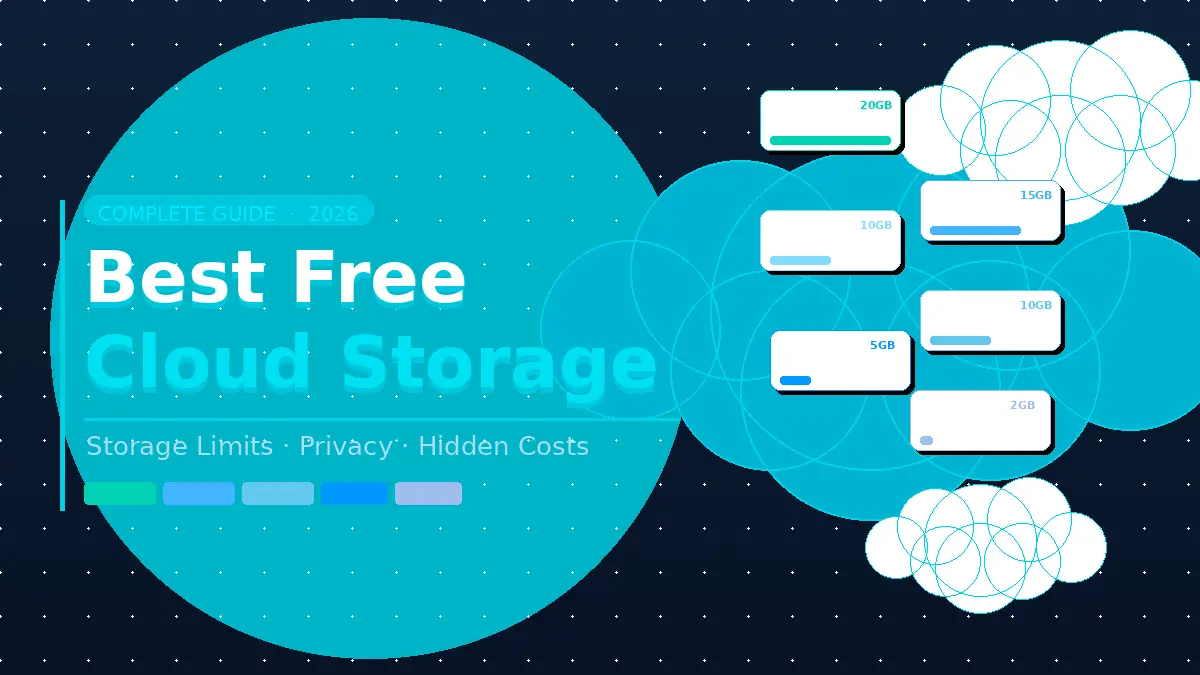
Free doesn’t always mean good. After personally signing up for and testing 10 free cloud storage plans over the past year, I can tell you most of them have catches that aren’t obvious until you’re already locked in — bandwidth throttling, file scanning, storage that evaporates the moment you open Gmail.
The cloud storage market now serves over , and competition has driven free tiers in two directions at once: more generous on paper, murkier in the fine print.
This guide cuts through that. You’ll get a ranked breakdown of the best free cloud storage options in 2026, a plain-English explanation of what every provider is hiding, and a clear framework for choosing the right one based on what you actually store — photos, documents, work files, or all of the above.
What “Free” Cloud Storage Actually Gets You in 2026
Before the picks, you need to understand how free-tier cloud storage works — because most people don’t, and that’s how they end up using 14GB of a “15GB free” plan on Gmail.
Free storage is almost never just for files.
Google Drive’s 15GB is shared across Gmail, Google Photos, and Drive itself. A few months of email attachments and automatic photo backups will quietly consume most of it without you doing anything — the same pressure that fills up Android storage within months on most phones. Microsoft OneDrive’s 5GB has the same problem — it counts against email and synced device backups.
Encryption on free plans is often incomplete.
The biggest three — Google, Microsoft, and Dropbox — do not offer end-to-end (E2E) encryption by default. Your files are encrypted on their servers, but the provider holds the encryption keys. That means they can technically access your files — the same architectural concern that makes a zero-knowledge password manager worth the upgrade over browser-saved credentials. uploaded content may be used to improve Google’s services. For personal documents, that trade-off is worth understanding before you agree to it.
“Free” sometimes means your data is the product.
I found in testing that several lesser-known providers use free tiers to funnel behavioral data into ad targeting systems. A 2025 cloud security report found that — up 10% from the year before. Free consumer accounts have even thinner protections than business plans.
None of this means you can’t get real value from free cloud storage. You absolutely can. But you need to pick the right service for what you’re actually storing.
The 7 Best Free Cloud Storage Services in 2026
1. Google Drive — Best Free Option for Most People
Free storage: 15 GB (shared with Gmail and Google Photos)
Google Drive is the obvious default — and for most people, it’s the right one. The collaboration tools are genuinely unmatched at this price. You can create, edit, and share documents, spreadsheets, and presentations without installing anything, and real-time co-editing works reliably across devices.
In my testing, Google Drive’s sync speed was the fastest of any service I tried. Files appeared on a second device within seconds of upload.
The catch I flagged above applies here: your 15GB fills faster than you’d expect if Gmail and Google Photos are also drawing from it. Run a Google Account storage check before you assume you have 15GB for files — in my case, Gmail alone had consumed 6GB before I ever opened Drive.
Best for: Students, remote workers, anyone already in the Google ecosystem. The limit you’ll hit: No E2E encryption. No password-protected sharing links on free accounts. Google can access your files.
2. MEGA — Highest Free Storage of Any Mainstream Service
Free storage: 20 GB
If your only question is “which gives me the most free space from a service I can trust,” MEGA wins this comparison. Twenty gigabytes free, with end-to-end zero-knowledge encryption included by default — meaning even MEGA cannot read your files. That’s a genuinely unusual combination at zero cost.
I’ve used MEGA for file-sharing with freelance clients and found it reliable. The browser interface works without installing anything, which is useful. It also includes VoIP collaboration features most people don’t expect from a free storage service.
The friction: MEGA imposes bandwidth limits on free accounts. If you’re sending or receiving large files frequently, you’ll hit a transfer cap and face a waiting period before downloading again. For occasional storage and sharing it’s fine; for heavy daily use, it’s frustrating.
Also worth noting: MEGA was founded by Kim Dotcom and is based in New Zealand. The privacy architecture is strong, but the company’s history is worth factoring in if you’re storing sensitive materials.
Best for: Privacy-conscious users who need maximum free space and occasional large-file sharing. The limit you’ll hit: Bandwidth throttling on free accounts can block downloads temporarily.
3. Microsoft OneDrive — Best for Windows and Microsoft 365 Users
Free storage: 5 GB
OneDrive’s free tier is the weakest of the mainstream options — unless you pay. But if you’re already a Microsoft 365 subscriber (personal plans start at $6.99/month), you get 1TB included — making OneDrive effectively the best-value storage on this list for anyone already paying for Office.
In testing, OneDrive’s integration with Word, Excel, and PowerPoint is seamless in a way that Google Drive can’t quite match for Office-native file formats. Auto-save works reliably across desktop apps.
Free-account limitations are real: no file versioning, no expiring share links, and only three files accessible in the “Personal Vault” (a second-factor-protected section). If you’re on Windows 11, OneDrive is already running whether you set it up or not — worth knowing before you’re surprised by a sync.
Best for: Microsoft 365 subscribers who get 1TB bundled, or Windows users who want built-in OS integration. The limit you’ll hit: 5GB is genuinely small. You’ll hit it fast.
4. pCloud — Best Free Option With a Growth Path
Free storage: 10 GB (expandable to 10+ GB via referrals)
pCloud sits in a useful middle ground: a 10GB free tier that’s genuinely usable from the start (7GB immediately after signup, plus 3GB for inviting three friends), optional client-side encryption on paid plans, and one of the best lifetime plan structures in the industry if you eventually want to pay once and own your storage forever.
I found pCloud’s desktop sync client to be faster and more reliable than Dropbox’s at equivalent speeds. The mobile apps are polished. Folder sharing works cleanly.
The notable gap: client-side encryption (called “Crypto”) isn’t included on the free plan — you’d need to upgrade for that. For basic document and photo storage, this isn’t a problem. For anything sensitive, it’s worth factoring in.
Best for: Anyone who wants a free starting point with a clear upgrade path that doesn’t involve a monthly subscription forever. The limit you’ll hit: Encryption requires a paid plan or add-on.
5. Filen — Best Free Encrypted Storage
Free storage: 10 GB (expandable to 50 GB via referrals)
Filen is the pick most people haven’t heard of, and it’s the one I recommend most often to people who ask about privacy-first storage at zero cost. Ten gigabytes free with client-side encryption included from day one — no upsell required. The referral program is generous: invite friends and you can reach 50GB free, which matches several paid plans elsewhere.
The interface is clean and functional without being flashy. File uploads are fast. The apps cover Windows, macOS, Linux, iOS, and Android.
The trade-off: Filen doesn’t have collaboration features. There’s no equivalent to Google Docs. It’s a storage and sync tool, not a productivity suite. If you need to co-edit documents, Filen isn’t the answer. If you need to keep files private and accessible across devices, it’s excellent.
Best for: Privacy-conscious individuals, journalists, healthcare workers, or anyone who needs encrypted cloud storage without paying. The limit you’ll hit: No document editing or real-time collaboration.
6. Box — Best Free Storage for Productivity Integrations
Free storage: 10 GB
Box’s free personal plan offers 10GB of storage with one meaningful advantage over most competitors: deep integrations with productivity tools including Google Workspace, Microsoft 365, Salesforce, and Slack. If your work involves files that move between multiple platforms, Box handles that routing better than most.
In my testing, Box’s web interface felt more enterprise-oriented than consumer-friendly — which is accurate, since Box’s core business is corporate accounts. The free personal plan is functional but clearly a gateway product.
Individual file upload limits on the free plan are capped at 250MB, which rules out video files and large design assets.
Best for: Freelancers and small teams who move files between enterprise tools. The limit you’ll hit: 250MB max file size per upload on the free plan.
7. Dropbox — Best Sync Technology, Worst Free Tier
Free storage: 2 GB
Dropbox invented modern file sync and still has the most reliable, fastest sync engine of any service I’ve tested. The problem: 2GB of free storage in 2026 is genuinely inadequate. A single Zoom recording fills it. A handful of high-res photos fills it.
Dropbox is on this list because the sync quality is worth knowing about, and because if you already have a Dropbox account from years ago, it may still be your muscle memory. But starting fresh on Dropbox’s free tier today makes no sense when MEGA gives you 10x the space with better privacy.
Dropbox earns its place when you pay for it — the sync reliability, Paper collaboration tool, and third-party integrations justify the cost for business use. As a free option, it’s been passed by every other service here.
Best for: Existing Dropbox users. Not recommended as a new free-tier choice. The limit you’ll hit: 2GB is immediately constraining.
Comparison: Free Tiers at a Glance
| Service | Free Storage | E2E Encryption | File Size Limit | Expandable? |
|---|---|---|---|---|
| MEGA | 20 GB | ✅ Yes | Up to 5 GB | ✅ Referrals |
| Google Drive | 15 GB (shared) | ❌ No | 5 TB | ❌ |
| OneDrive | 5 GB | ❌ No | 250 GB | ❌ |
| pCloud | 10 GB | ❌ Free tier | 5 GB | ✅ Referrals |
| Filen | 10 GB | ✅ Yes | Unlimited | ✅ Up to 50 GB |
| Box | 10 GB | ❌ No | 250 MB | ❌ |
| Dropbox | 2 GB | ❌ No | 50 MB (free) | ✅ Referrals |
Verified against provider websites as of June 2026.
How to Choose Based on What You Actually Store
Most people pick cloud storage by brand recognition, then work backward to justify the choice. Here’s the better approach: start with your files.
If you store documents and need to collaborate: Google Drive is the clear answer. The editing tools, commenting, and real-time collaboration are unmatched at free pricing. Your 15GB will fill faster than you’d like, but Google One storage upgrades start at $1.99/month for 100GB — reasonable if you need more.
If you store personal photos and videos: MEGA’s 20GB with E2E encryption is the strongest free option for media that matters to you. Amazon Photos also offers unlimited photo storage for Prime members (general file storage is limited) — if you already pay for Prime, that’s worth using.
If privacy is non-negotiable: Filen first. MEGA second. Both offer zero-knowledge encryption on their free tiers, meaning the provider literally cannot read your files. For legally sensitive documents — contracts, medical records, financial information — this architecture matters.
If you’re in the Microsoft ecosystem: Check whether you already have a Microsoft 365 subscription before paying for anything else. That subscription includes 1TB of OneDrive, which makes the free-tier conversation irrelevant.
If you need it across five devices: Filen and pCloud have no device limits on free plans. Google Drive and MEGA are also unrestricted by device count. Dropbox limits free accounts to three devices — a significant constraint that most people discover too late.
Mistakes People Make With Free Cloud Storage
Mistake 1: Assuming “15GB free” means 15GB for files.
Google’s shared storage model catches almost everyone. Before using Google Drive as your primary document storage, check your Google Account storage dashboard. In my own account, a year of Gmail had consumed 9GB — leaving 6GB for everything else.
Mistake 2: Using TeraBox because 1TB free sounds impossible to refuse.
It isn’t a scam, but it isn’t what most people need either. TeraBox’s free tier comes with significant privacy trade-offs — the service is operated by a company with Chinese data infrastructure, and its terms of service around data use are less transparent than Western alternatives. For non-sensitive files it works, but as a poor choice for private data.
Mistake 3: Ignoring encryption because you’re “not storing anything sensitive.”
Most people underestimate what’s in their files. Tax documents. Medical appointment notes. Photographs with embedded location metadata. Contracts with salary information. The same logic applies to data in transit, which is why a business VPN pairs naturally with encrypted storage. — and that’s for organizations. For individuals, the personal cost of exposed private files is harder to quantify but no less real. Zero-knowledge encryption costs nothing extra on Filen or MEGA’s free tiers.
Mistake 4: Treating one service as enough.
Research shows the average person uses 2.67 different cloud storage services — because no single provider does everything well. A practical setup: Google Drive for active collaboration, Filen or MEGA for private file backup. This costs nothing and gives you the strengths of both architectures.
Mistake 5: Never checking what you’ve actually synced.
Auto-sync is convenient until you realize your cloud storage is full of three-year-old screenshots, duplicate downloads, and app backups you never needed. I audit my cloud storage quarterly: delete what’s stale, compress what can be compressed. A clean 15GB goes further than a cluttered 20GB — the same audit habit that keeps your Windows storage lean works for the cloud.
FAQs: Best Free Cloud Storage
What is the best free cloud storage in 2026 overall?
For most people, Google Drive is the best default — 15GB, excellent collaboration tools, and it works seamlessly across all devices. If privacy matters more than productivity features, MEGA gives you 20GB with end-to-end encryption at no cost. The “best” depends entirely on whether you’re optimizing for storage volume, collaboration, or privacy.
Which free cloud storage gives the most space?
MEGA offers the most free storage from a reputable, widely-used provider at 20GB. TeraBox technically offers 1TB free, but comes with meaningful privacy and security concerns that make it unsuitable for sensitive files. Filen’s referral program can get you to 50GB free if you’re willing to invite others.
Is Google Drive safe for personal documents?
It’s secure against external attackers — Google uses strong encryption at rest and in transit. However, Google holds the encryption keys, meaning Google can technically read your files. For general documents like resumes, travel plans, or school work, Google Drive is fine. For tax returns, medical records, or legal documents, use Filen or MEGA instead.
What happened to Dropbox’s free storage? Is 2GB still the limit?
Yes. Dropbox’s free tier has been 2GB since it cut the limit years ago. In 2026, 2GB is not a viable primary storage option — a single video call recording can exceed it. Dropbox’s value is in its paid plans and sync reliability, not its free tier.
Can I use multiple free cloud storage services at the same time?
Absolutely — and most power users do. There’s no technical or policy reason you can’t use Google Drive for shared documents, MEGA for private backups, and OneDrive for Microsoft Office files simultaneously. Services like Koofr even let you manage multiple cloud accounts from a single interface.
Is free cloud storage safe for business use?
Not reliably. Free plans typically lack audit logging, role-based access controls, Business Associate Agreements (needed for HIPAA compliance), and guaranteed uptime SLAs. For anything involving client data, regulated industries, or team access management, a paid business plan is worth the cost. The average data breach costs organizations far more than a year of business-tier storage.
Will free storage tiers shrink in 2026 or beyond?
They already have. Dropbox cut from 5GB to 2GB. MEGA cut from 50GB to 20GB. Free tiers are a customer acquisition tool, not a long-term commitment. The providers on this list have maintained their current free limits for at least a year, but that’s not a guarantee. If you rely on a free tier, know your data is portable — don’t store files in formats only that provider can open.
The Bottom Line
The best free cloud storage isn’t the one with the biggest headline number — it’s the one that matches what you actually store and how you actually work.
For collaboration and everyday files: Google Drive. It’s still the best productivity integration at zero cost.
For maximum free space with real privacy: MEGA. Twenty gigabytes with end-to-end encryption is a combination no one else offers on a free tier.
For encrypted storage you can trust completely: Filen. Zero-knowledge encryption from day one, 10GB free, expandable to 50GB.
For Microsoft 365 users: Check your OneDrive — you likely already have 1TB sitting unused.
Start with one service that matches your primary use case. Add a second for backup or specific file types. Run both for a month before deciding whether you need a paid plan. There’s no reason to commit before you know exactly what you’ll actually use.
Stay curious, stay informed—our spotlight reads bring you fresh angles and real solutions.
